
How to Debug a PCB Before Powering It Up

When a circuit board is soldered, and you want to check if it works, you should not power it on directly. First, do the following steps. Only after making sure there are no problems, power it on.
Check if the wiring is correct
First, check the schematic diagram. Make sure the chip power supply and the labeling of the network nodes are correct. Also, check if network nodes overlap. Check the component packaging, packaging model, and pin order (remember not to use the top view, especially for non-pin packages). Make sure there is no wrong wiring, missing wiring, or extra wiring.
There are two ways to check the wiring. One way is to follow the circuit diagram and check the installed wiring one by one. Another way is to look at the real wiring and check it based on the schematic, focusing on each component. Check all the pins to see if every destination exists. Mark the checked wires on the diagram.
Use a multimeter with a buzzer to test pins directly. This helps find bad wiring at the same time.
Check if the power supply is short-circuited
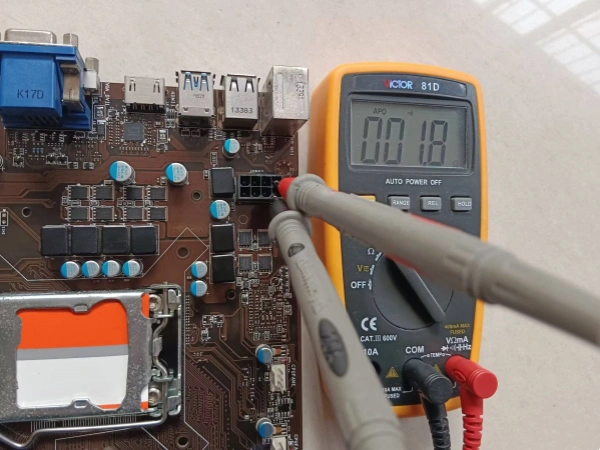
Do not power on yet. Use a multimeter to measure the power supply’s input impedance. This is important! A short circuit can burn out the power supply.
You can use a 0-ohm resistor for debugging. Do not solder it before checking. After confirming the power supply voltage is normal, solder it to supply power to later parts. This avoids burning chips if the voltage is bad. Add a protection circuit like a resettable fuse.
Install components
Check polarized parts like LEDs, electrolytic capacitors, rectifier diodes, and the pin order of transistors. For transistors, even for the same function, different makers may arrange pins differently. Use a multimeter to test.
First, do open-circuit and short-circuit tests to avoid problems after powering on. Good test points save time. 0-ohm resistors also help with high-speed circuit tests. After finishing the hardware check, you can power on.
Power-on check
After powering on, do not rush to measure anything. First, observe. Look for smoke or bad smells. Touch the chip surface to feel if it is hot. If something seems wrong, turn off the power right away. Fix the problem before turning it on again.
Static debugging
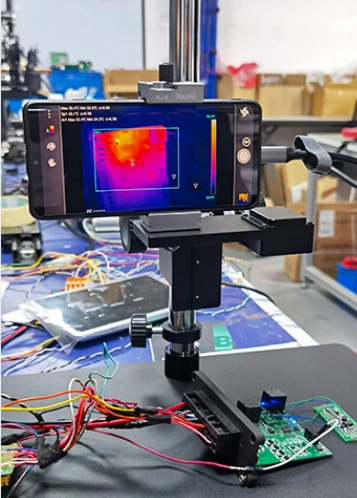
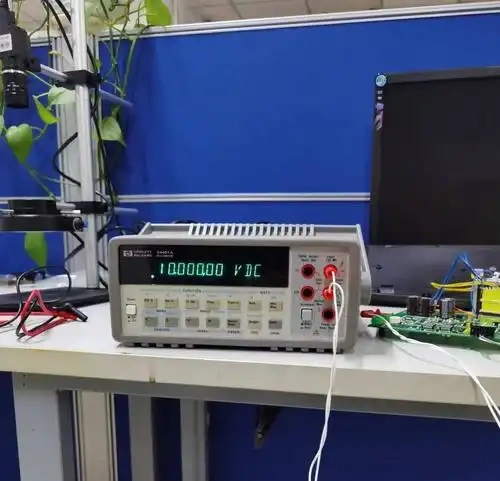
Static debugging means doing DC tests without input signals or with fixed signals. Use a multimeter to check voltages at different points. Compare them with expected values. If something is wrong, find the bad parts or problems with the circuit. Replace or adjust parts so that the circuit works as designed.
Dynamic debugging
Dynamic debugging starts after static debugging. Add a signal to the input and check the output signals step by step. If something is wrong, find out why, fix it, and test again. Use instruments, not guesses.
When using an oscilloscope, set it to “DC” mode. This way, you can see both AC and DC parts of the signal. Check if the circuit’s functions meet design needs, like amplitude, shape, phase, gain, input impedance, and output impedance. Change circuit settings if needed.
Other work during debugging
Decide test points based on the system’s working principle. Plan the steps and how to measure. Mark points on the drawings and boards. Make a record form for data.
Set up a workbench with needed instruments. Arrange them for easy use. Keep the workbench clean and tidy.
Choose the right instrument. Its accuracy should be better than the system being tested. For software debugging, prepare a microcomputer and development tools.
Debugging order
Usually, debugging follows the signal flow. Use the output of the last part as the input for the next part.
Overall debugging
If using programmable logic devices, first input and debug the program file. Download it, then connect the logic device with the analog circuit for overall testing.
Precautions during circuit debugging
The correctness of results depends a lot on how you measure. To make sure results are right, reduce errors and improve measurement accuracy.
Use the instrument grounding terminal correctly. If not, the instrument can cause errors. When testing the emitter bias circuit, measure Vc and Ve separately, then subtract them.
Make sure the instrument’s input impedance is much higher than the impedance at the test point.
The instrument’s bandwidth must be greater than the circuit’s bandwidth.
Choose test points carefully. Different points can cause big differences in error.
It is better to measure voltage than current when possible, to avoid changing the circuit. You can measure the voltage across a resistor to calculate current.
During debugging, observe and measure carefully. Record everything — conditions, what you see, measured data, waveforms, and phase relationships. Only by comparing real results with theory can you find and fix design problems.
Troubleshooting during debugging
Find the real reason for faults carefully. Do not rebuild the circuit right away, because it won’t fix problems caused by wrong principles.
In big systems, finding faults among many parts is hard. Start from the fault phenomenon. Test again and again, think and judge to find the cause.
Common fault signs
Amplifier has no input signal but has output.
Amplifier has input signal but no output, or output is strange.
Voltage regulator has no output, or output is too high or unstable.
Oscillator does not oscillate.
Counter output is unstable.
Causes of faults
If a product fails after being used for some time, it could be because parts are damaged, wires are shorted or open, or conditions have changed.
Ways to check faults
Direct observation: Check if instruments are used correctly, if power supply voltage and polarity are right, if polarized parts are connected right, if wiring is correct, if there are shorts or broken wires, if resistors or capacitors are burnt.
After powering on, see if parts are hot, smoking, if there is burnt smell from transformers, if tube filaments are glowing, or if there is arcing.
Related Posts
PCBA Prototype
December 14, 2025
PCB Assembly
September 2, 2025