
how to clean pcb board

In the world of electronic devices, a Printed Circuit Board (PCB) is like the nervous system of the human body, connecting and coordinating the operations of various electronic components. However, over time and due to environmental factors, the surface of the PCB can accumulate dirt and impurities. This can not only affect its performance but also shorten its lifespan. Therefore, mastering the correct method for cleaning a PCB is crucial. Today, let’s dive into how to clean a circuit board effectively.
1. Importance of Cleaning a Circuit Board
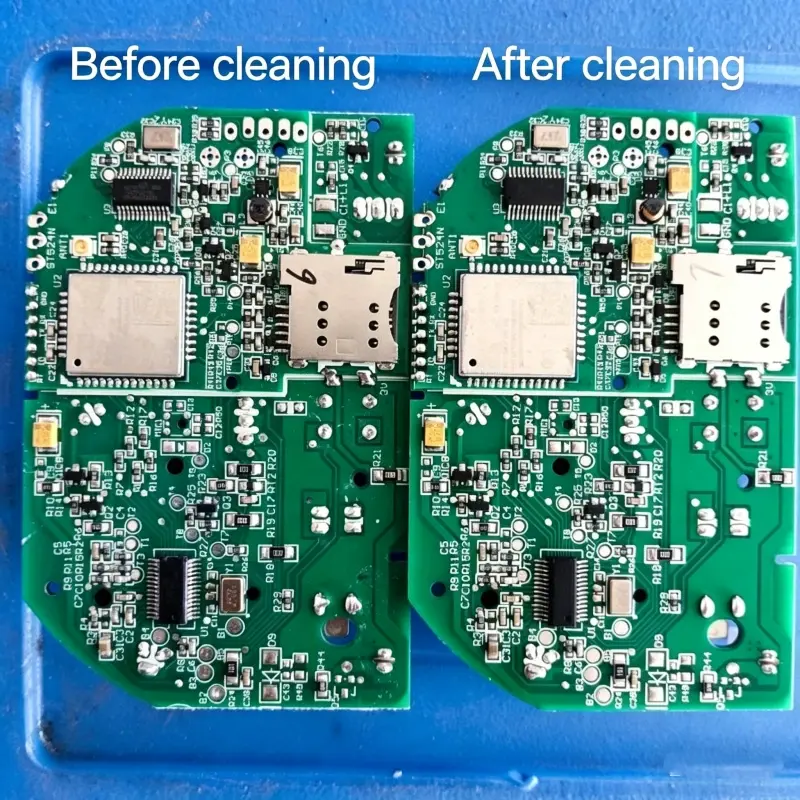
During the manufacturing, assembly, and use of PCBs, they inevitably come into contact with various contaminants. For example, during the soldering process, if flux residue is not cleaned in time, it may form a sticky substance on the surface of the circuit board, attracting more dust and impurities. Over time, this could even lead to short circuits. In daily use, dust, moisture, and other environmental factors also gradually erode the PCB, reducing its electrical performance. Thus, regularly cleaning the PCB is key to ensuring the stable operation and prolonged lifespan of electronic devices.
2. Common Circuit Board Cleaners
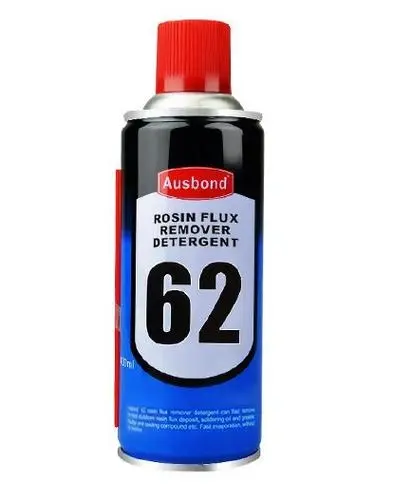
Osbon 62PCB Circuit Board Cleaner: This cleaner is designed for electronic device maintenance and is packaged in a 400ml spray can for easy use. It effectively removes flux, dirt, and oil stains from the circuit board, ensuring good contact between the motherboard and components. It performs especially well in mobile phone repair. After use, the surface of the circuit board will be clean and new, improving repair efficiency. Osbon is a trusted brand in the industry.
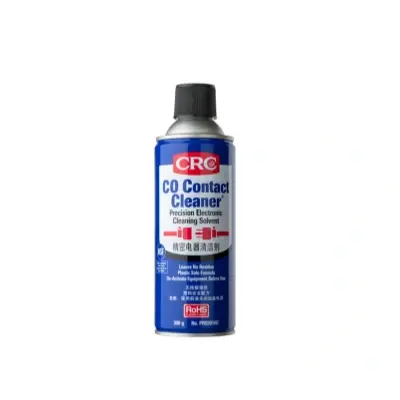
CRC Precision Electronics Cleaner (USA): An ideal choice for maintaining electronic devices, this cleaner quickly removes dirt and oxides from electrical PCBs, helping restore optimal performance. Its quick-drying formula allows users to complete cleaning in the shortest time possible, preventing long downtime. The 312g size is portable, and the spray design offers flexibility for various applications.
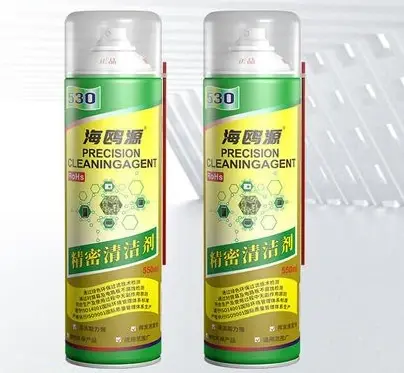
Seagull 530 Precision Electronic Component Cleaner: With a gentle formula designed for delicate electronic components, this cleaner is perfect for cleaning motherboards, circuit boards, and phone membranes. It won’t damage electronic components but will effectively remove dirt and grease, keeping the equipment in top condition. It is available in packaging sizes ranging from 1 to 5 liters to meet personal or corporate cleaning needs.
3. Materials and Tools Needed for Cleaning
Anti-static Brush: Used to remove dust and large residues from the circuit board’s surface. Its soft bristles can gently sweep away dust without damaging the components.

Specialized Electronic Cleaners: Such as Flux Remover, these are designed to clean flux residue and effectively dissolve and remove stubborn flux marks.
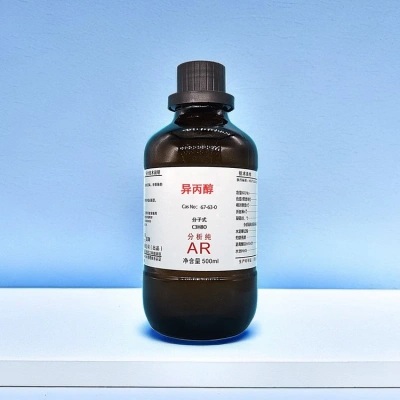
Isopropyl Alcohol (99%): A commonly used solvent with excellent solubility and volatility. It is suitable for most cleaning tasks, quickly dissolving oils and minor impurities, and evaporates leaving almost no trace.
Lint-Free Cloth: Also called anti-static wiping cloths, these materials will not shed fibers during the wiping process, avoiding secondary contamination of the circuit board.

Sponge Cotton Swabs and Cloth-Tipped Swabs: Their abrasion-resistant and low-lint characteristics make them ideal for detailed cleaning, such as cleaning component leads and solder joints in narrow areas.
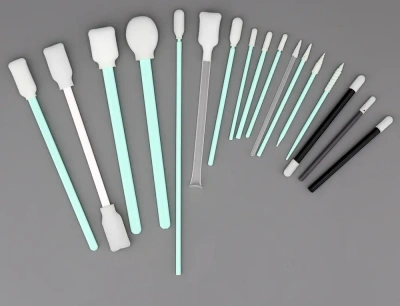
Ultrasonic Cleaning Machine: Used for cleaning a large batch of PCBs or for deep cleaning difficult-to-reach areas. The ultrasonic vibrations help to thoroughly clean the circuit board.
Compressed Air Can: Used to blow away dust and small particles from the surface of the circuit board, providing a quick and easy method for large-scale preliminary cleaning.
4. Cleaning Steps
Preliminary Cleaning
Use an anti-static brush or a compressed air can to gently remove dust and large flux residues from the PCB surface. If using the anti-static brush, move gently along the board’s lines to avoid damaging components. When using compressed air, maintain a safe distance to prevent blowing off components.
Solvent Cleaning
Dampen a sponge cotton swab or lint-free cloth with isopropyl alcohol or a specialized electronic cleaner and carefully wipe areas with flux residue. Ensure that the pressure applied is appropriate to clean the dirt without damaging the board. Regularly replace swabs or cloths to avoid redistributing dissolved flux residues.
Deep Cleaning (Optional)
For areas where dirt remains after preliminary and solvent cleaning, or when cleaning a large batch of PCBs, use an ultrasonic cleaning machine. Add an appropriate amount of cleaning solution and deionized water, set the correct cleaning time and power, and let the ultrasonic waves thoroughly remove stubborn dirt. Before using the ultrasonic cleaner, make sure the components on the PCB can withstand the vibrations and liquid environment.
Secondary Cleaning
Use a clean lint-free cloth or dry sponge cotton swab to wipe the cleaned areas again, ensuring that any remaining solvents or small particles are removed, preventing streaks or marks on the PCB surface. This step ensures the surface is cleaned to a higher standard.
Drying
After cleaning, the PCB must be thoroughly dried. Leave it to air dry in a well-ventilated area or dry it with a heat gun (ensure the temperature is not too high to avoid damaging components) or place it in a drying oven. Ensure the circuit board is completely dry before proceeding with the next steps or reusing it.
5. Precautions During Cleaning
Static Protection: Always take anti-static precautions during cleaning, such as wearing an anti-static wrist strap and using anti-static workbench mats to avoid damaging sensitive components on the PCB.
Use High-Quality Materials: To ensure effective cleaning and minimize damage to the PCB, use high-quality cleaners, swabs, and tools. Low-quality cleaners may not effectively remove dirt and could corrode the PCB, while poor-quality tools may scratch the board or damage components.
Maintain a Clean Environment: Ensure a clean working environment to minimize the risk of re-contaminating the PCB with dust and dirt. Cleaning should be done in a dust-free room or a relatively clean, enclosed space.
Handle with Care: Whether using brushes, swabs, or other tools, always handle the PCB carefully to avoid physical damage to components, solder joints, or circuits. Take extra care with small components and delicate circuits.
6. Conclusion
Cleaning a PCB may seem like a simple task, but it requires careful attention and the correct methods. Through regular and effective cleaning, the performance of the PCB can remain stable, and the lifespan of electronic devices can be extended. We hope this guide helps you better understand how to clean a circuit board and keep your electronic devices in optimal condition. If you have any questions or experiences to share about the cleaning process, feel free to leave a comment below.
Table of Contents
Related Posts

PCBA Prototype
January 25, 2026