PCB Fiducial Marks: Size, Placement and Design Guidelines
PCB fiducial marks are optical reference features that help assembly machines locate a board before printing solder paste, placing components or inspecting an assembly. A useful fiducial gives the camera a distinct target, with enough clear space around it to identify its center reliably.
Getting the design right involves more than adding a copper dot. The mark must be on the correct surface, visible after the board is clamped, and compatible with the assembler’s recognition settings. This guide explains how to choose the reference locations, separate the relevant dimensions and check your manufacturing files before release.
What Are PCB Fiducial Marks?
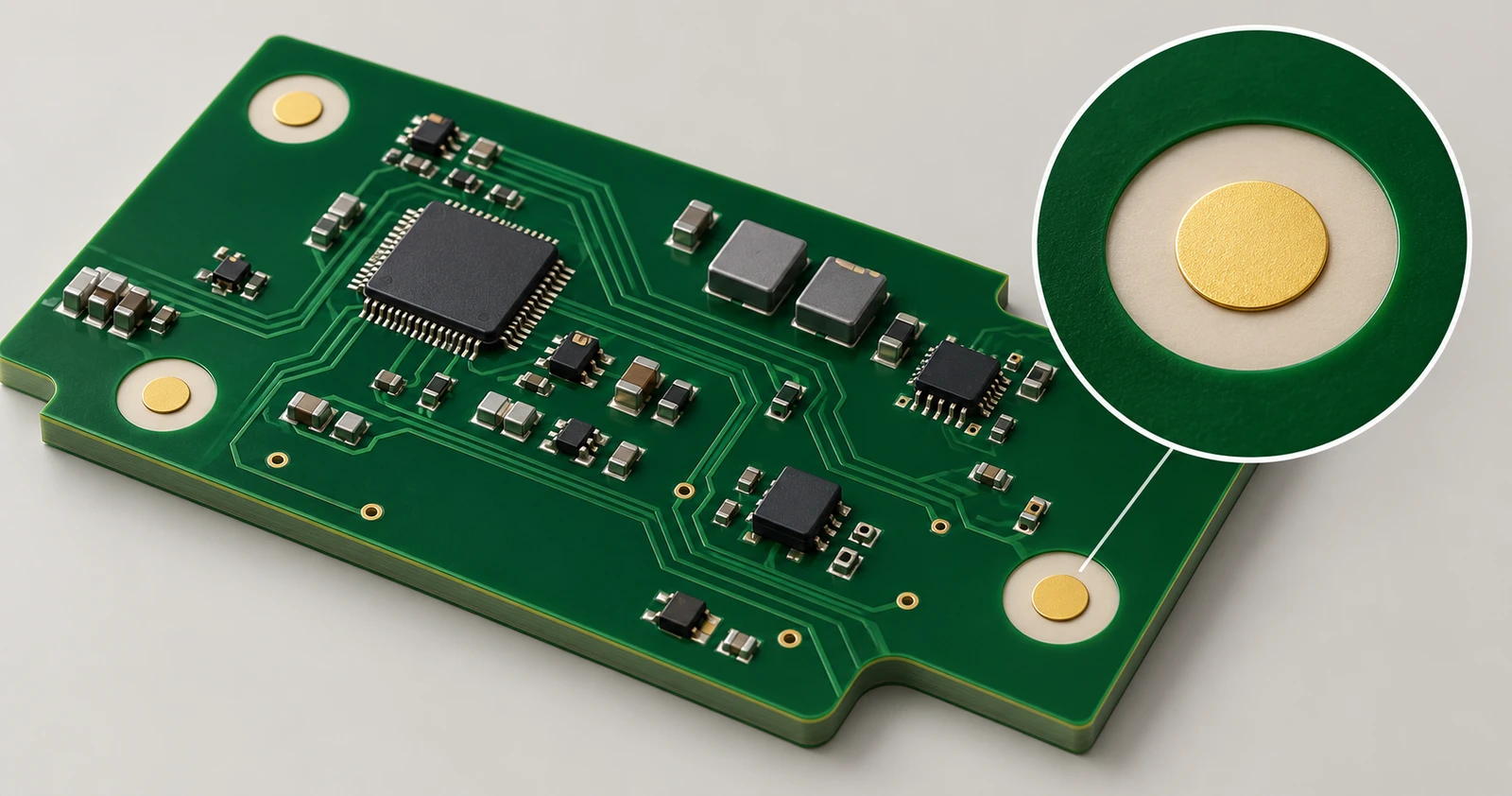
A PCB fiducial is usually a solid circular copper feature with a solder mask opening around it. It provides a recognizable point whose position is known in the design data.
The machine needs that reference because the physical board may arrive slightly shifted or rotated relative to the programmed coordinates. It finds the specified targets, compares their measured locations with the expected locations, then applies the supported position correction to the assembly program.
The basic sequence is straightforward:
- The board or panel is loaded and held in position.
- A camera locates the programmed fiducials and identifies their centers.
- The equipment uses those measurements to align its operation with the actual board.
A tooling hole helps hold or locate a board mechanically. A test point provides electrical access. A dedicated fiducial serves an optical recognition task. Substituting one for another needs the assembler’s approval; an available hole or spare component pad is not automatically a suitable reference.
Global, Local and Panel Fiducials
The three terms describe the area being aligned. Keeping those areas separate helps you decide where references belong and which checks they support.
Global Fiducials
Global fiducials establish the reference for an individual PCB. They are typically spread around the board rather than concentrated in one small area.
Their relationship to the component pattern matters. The assembler uses their known positions to relate the actual board to the locations specified in the assembly data.
Local Fiducials
Local fiducials provide references near a particular component or densely populated region. Where the process calls for them, they let the placement system check alignment close to the relevant land pattern.
Large packages and demanding placement requirements can make local references useful. However, a BGA or QFN label alone does not determine whether they are required. Package dimensions, pitch, board stability and the equipment’s alignment strategy all affect that decision.
Panel Fiducials
Panel fiducials reference an array containing several boards. They are often placed on tooling rails or other retained areas of the panel.
Panel references and individual-board references can have different jobs within the same process. Confirm whether the assembler will align the whole array, each board within it, or both. This is especially relevant when the assembler creates the panel from your single-board data.
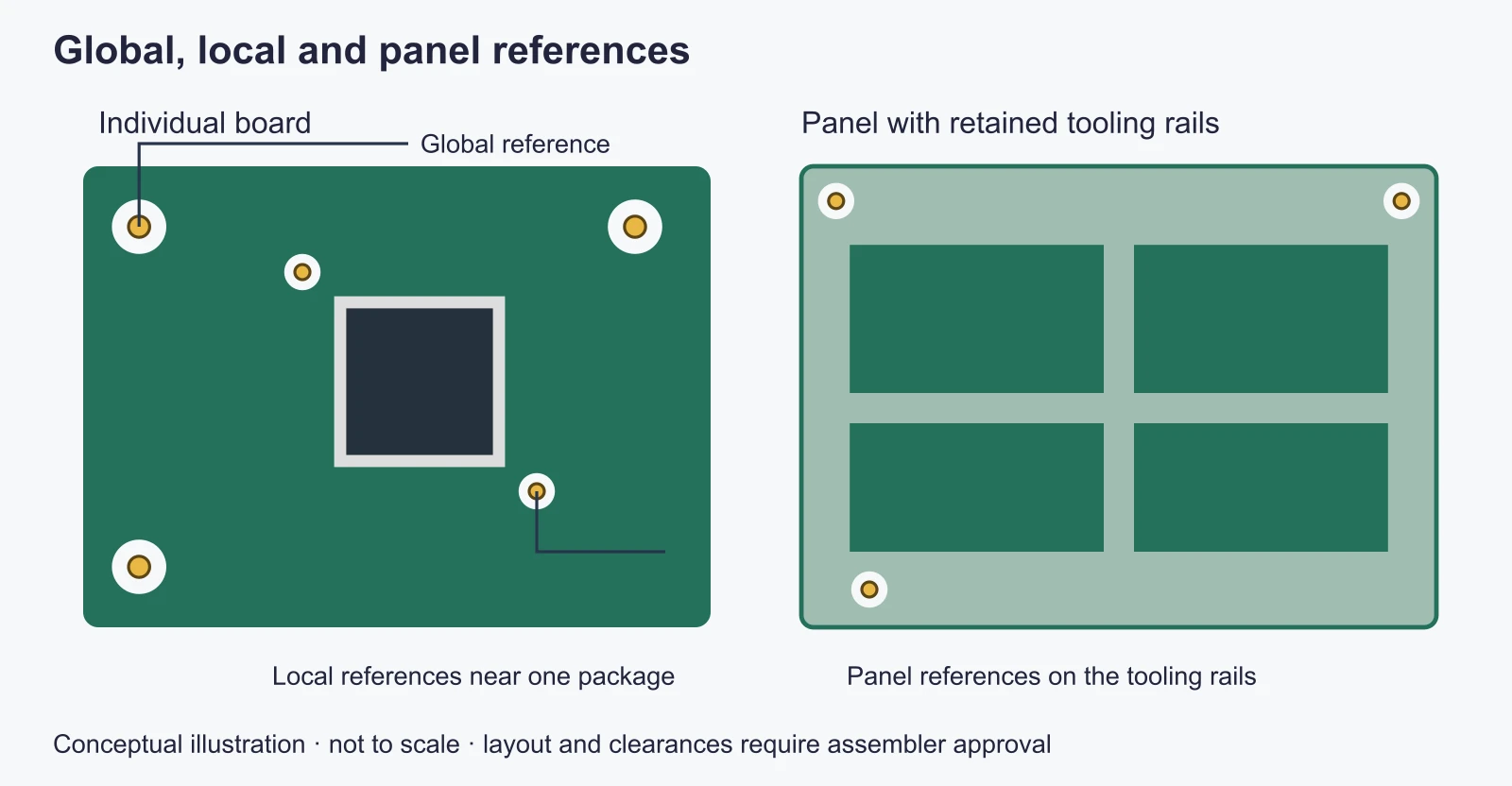
Global, local and panel references serve different alignment areas. This conceptual layout is not a required mark count or an approved panel drawing.
How Many Fiducials Do You Need, and Where Should They Go?
Three well-separated, non-collinear global fiducials are a common starting layout. The final number and arrangement should follow the assembler’s requirements for the board and production process.
Choose the Number and Layout
A single circular target identifies a location but does not, by itself, establish the board’s rotation. Two separated targets provide information about position and orientation. A third gives the equipment another reference to check, subject to the functions supported by its vision system.
Spread the marks across the useful board area and use a recognizable, asymmetric arrangement. A repeated pattern that looks the same after rotation can make an incorrect orientation harder to distinguish.
Four marks are not inherently unusable. An assembler may specify a four-mark layout with one location offset to avoid symmetry. The important point is to agree on the arrangement and the marks used by the program, rather than assume that adding more dots always improves alignment.
Fiducial count also does not prove that a machine can correct every kind of board distortion. Alignment references cannot substitute for an appropriate plan to control or support a warped board.
Keep Marks Visible to the Machine
Place fiducials away from areas covered by conveyor rails, clamps or fixtures. A target can look perfectly exposed in a CAD viewer and become unusable once the board is held in the machine.
Check the full recognition area around the target, not only its center. Nearby components, slots, routed openings or reflective copper may affect what the camera sees.
When reviewing an edge-clearance requirement, establish where the measurement starts: the target center, copper edge or outside of the clearance area. Different measurement conventions can make apparently similar dimensions describe different layouts.
Fiducial Size and Clearance
Several dimensions are often grouped under “fiducial clearance.” Separating them prevents a common mistake: changing the solder mask opening while leaving the copper or mechanical clearance unchanged.
Copper Diameter and Solder Mask Opening
A copper target around 1 mm in diameter is a common starting point in published assembly guidance. The required solder mask opening varies with the assembler’s process. Confirm the complete footprint specification before treating a library part as ready for production.
For a circular, concentric target and opening, use these separate definitions:
| Dimension | What it measures |
|---|---|
| Copper diameter, D | Diameter of the solid optical target |
| Mask opening diameter, M | Diameter of the area exposed through the solder mask |
| Radial opening gap, g | Distance from the copper edge to the opening edge on one side |
The geometric relationship is g = (M − D) / 2.
For example, assume a 1.0 mm copper target and a 2.0 mm opening. The radial gap is (2.0 − 1.0) / 2 = 0.5 mm. A 3.0 mm opening around that same target would give a 1.0 mm radial gap.
These examples explain the dimensions; they are not universal acceptance limits. “A 2 mm opening” and “2 mm clearance around the mark” can describe very different geometry. Specify the diameter or single-side distance explicitly.
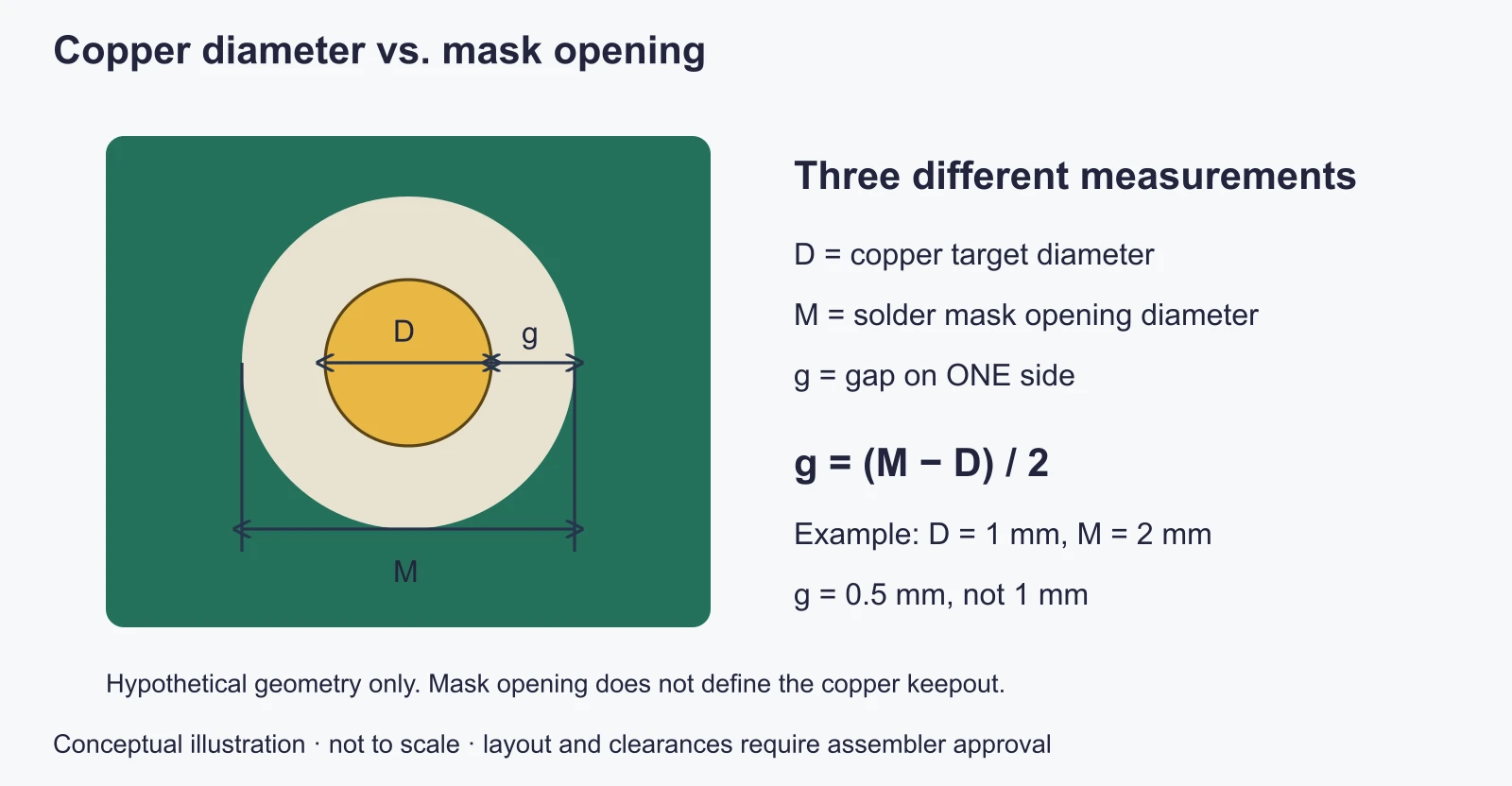
Measure diameters and single-side gaps separately: a 1 mm target within a 2 mm opening leaves 0.5 mm on each side.
Keepout and Board-Edge Clearance
The solder mask opening exposes the underlying surface. It does not automatically remove nearby copper.
An enlarged mask opening can expose a copper pour as well as the intended target. Check the copper clearance and mask opening together after refilling zones or repouring polygons.
Case 1: An Extra Copper Ring Around the Target
Problem: The intended circular target is surrounded by an exposed copper ring. A published Altium Designer example illustrates this with a 1.0 mm target, a 1.5 mm copper-free diameter and a 2.0 mm mask opening.
Cause: The opening extends beyond the copper-free area, exposing part of the surrounding pour. Enlarging the mask opening alone does not enlarge the copper exclusion.
Checks and corrective steps:
- Inspect copper: check whether the pour enters the area exposed by the mask opening.
- Inspect the opening: measure its diameter separately from the target diameter.
- Adjust the copper exclusion: follow the assembler’s recognition-area requirement, then refill the pour.
- Verify the output: overlay the exported copper and mask layers and confirm that only the intended target is exposed within that area.
Release check: Confirm the target’s appearance in the final copper-and-mask overlay. These dimensions explain the CAD error; they are not an approved production footprint or evidence of a measured assembly result.
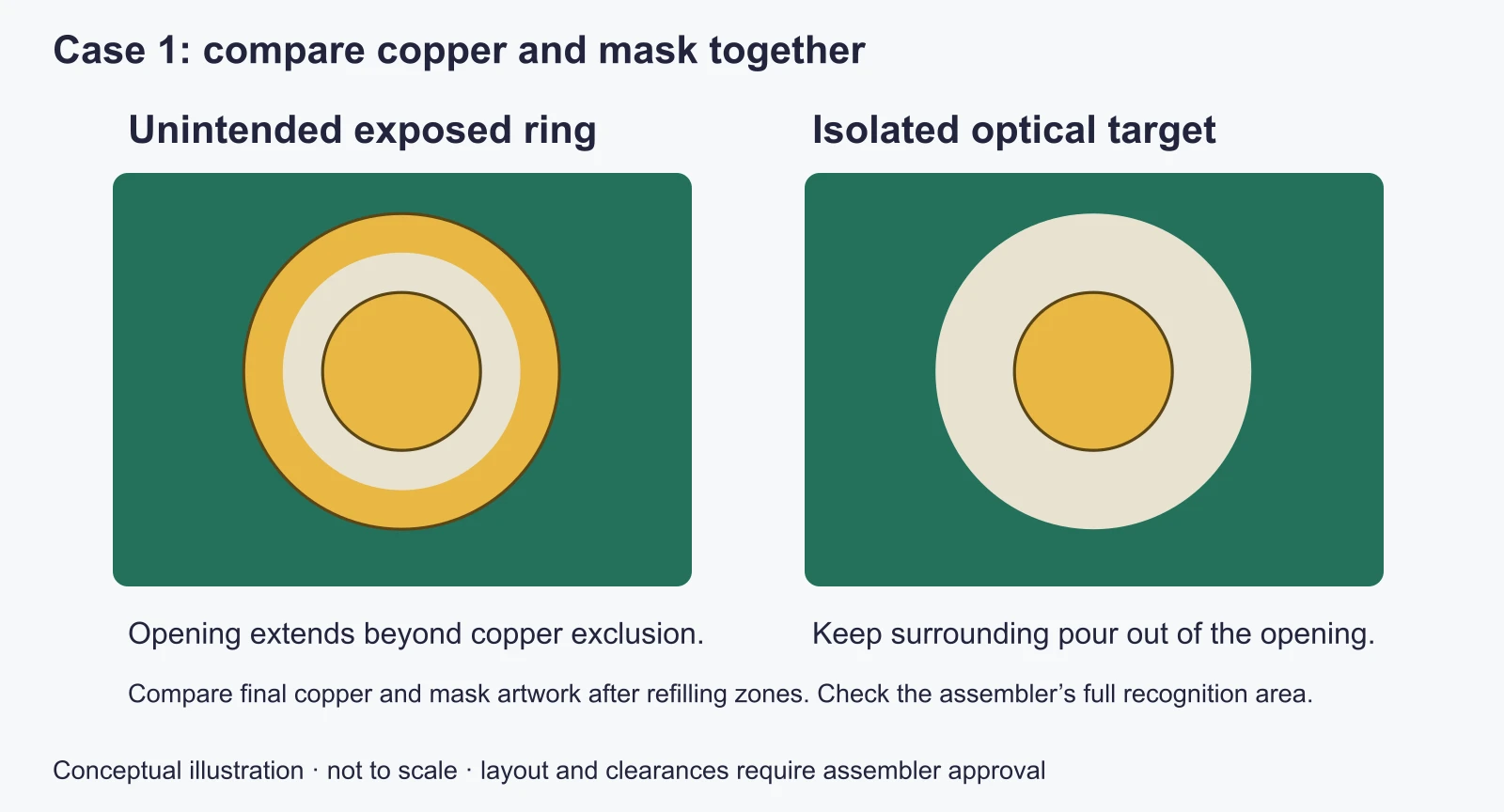
A wider mask opening can expose surrounding copper. The right-hand view illustrates an isolated target, not a production-approved clearance.
Optical and Mechanical Clearance Checks
Keep unrelated traces, pads, vias and silkscreen out of the recognition area specified by the assembler. The area must remain visually distinct throughout the relevant assembly steps.
Board-edge clearance is a separate mechanical check. Confirm that the required optical area remains accessible after clamping and that the mark is clear of slots or separation features. Use the actual panel and fixture arrangement to establish the distance.
Surface Condition and Finish
The camera needs a consistent target with usable contrast against its surroundings. Ink, contamination or an irregular surface can interfere with recognition.
An exposed fiducial is free of obstructing solder mask and silkscreen. It may still carry the specified PCB surface finish. Exposed copper artwork and untreated copper are not interchangeable descriptions.
Also check the solder paste data. A fiducial is not a component solder joint, so its footprint should not unintentionally create a paste deposit on the optical target. Mask and paste apertures are separate settings in CAD tools; review both in the exported files. KiCad’s pad documentation illustrates why technical-layer apertures need explicit attention.
If a target is difficult to recognize, the assembler should assess its geometry, condition, lighting and recognition settings. Choose or change a surface finish for the complete board’s requirements, rather than assuming one finish guarantees fiducial recognition on every machine.
Small Boards and Double-Sided Assembly
Space limitations and multiple assembly operations can change where references are practical. Resolve those constraints before freezing the fabrication data.
Small or Irregular Boards
On a small PCB, reserving suitable targets and clearance areas may compete with components and routing. Panel tooling rails can provide space for references used to align the array.
Agree on the strategy before deleting marks from the individual board. Panel-level alignment may be sufficient for a particular build, while another process may also need board-level or local references.
For round or irregular boards, focus on the usable, visible area and an unambiguous arrangement. The absence of rectangular corners does not remove the need to establish position and orientation.
Our panel requirements for assembly provide a starting point for discussing the panel. Confirm the applicable fiducial dimensions and locations for your project before releasing files.
Double-Sided and Fine-Pitch Assemblies
Review each side that requires automated alignment. The second operation needs references visible from that side under its own handling and fixture conditions.
Check side assignment and the coordinate convention in the assembly data. A mark that exists on the opposite copper layer does not provide a visible target on the current surface. Do not infer assembly requirements from the bare board’s layer count.
For fine-pitch or large packages, discuss whether local fiducials improve the intended placement process. Add them where the agreed process needs them, with room for the optical clearance and nearby component bodies.
This is worth settling early for low-volume PCB assembly as well as production runs: a small quantity does not remove the need for usable setup references.
Common Fiducial Design Mistakes
Review the final board and manufacturing outputs together. The same visible symptom can have several causes, so the checks below identify what to inspect rather than predict a particular defect rate.
| Design or preparation issue | Why it matters | What to check |
|---|---|---|
| Mask or silkscreen covers the target | The intended outline may be obscured | Copper, mask and silkscreen layers on the relevant side |
| An enlarged opening exposes nearby copper | Extra reflective features can change the recognized shape | Copper pour clearance after the final refill |
| A clamp covers part of the recognition area | The camera cannot use the intended full target area | Actual handling direction, rails and fixture coverage |
| A symmetric layout permits ambiguous orientation | A rotated board may present a similar reference pattern | Asymmetric placement and the programmed reference set |
| Paste is deposited on the target unintentionally | The target’s surface and appearance change | Paste-layer output and footprint apertures |
| A revision moves marks without updating assembly data | Expected and actual reference locations no longer match | Revision, origin, side and coordinates across files |
| Local references are crowded by adjacent features | The target may be difficult to isolate visually | Nearby pads, traces, ink and component outlines |
Case 2: Missing Fiducials and Incorrect Reference Recognition
Reported problem: A board without dedicated fiducials suffered incorrect reference recognition and misplaced components. The published assembly case reports material losses and development delays.
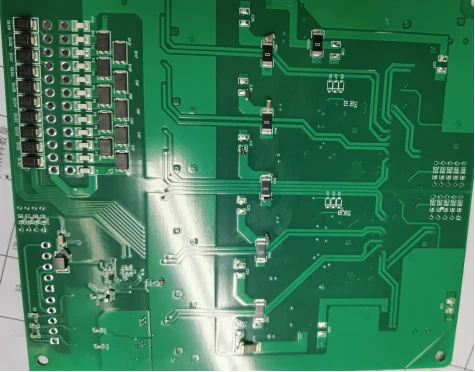
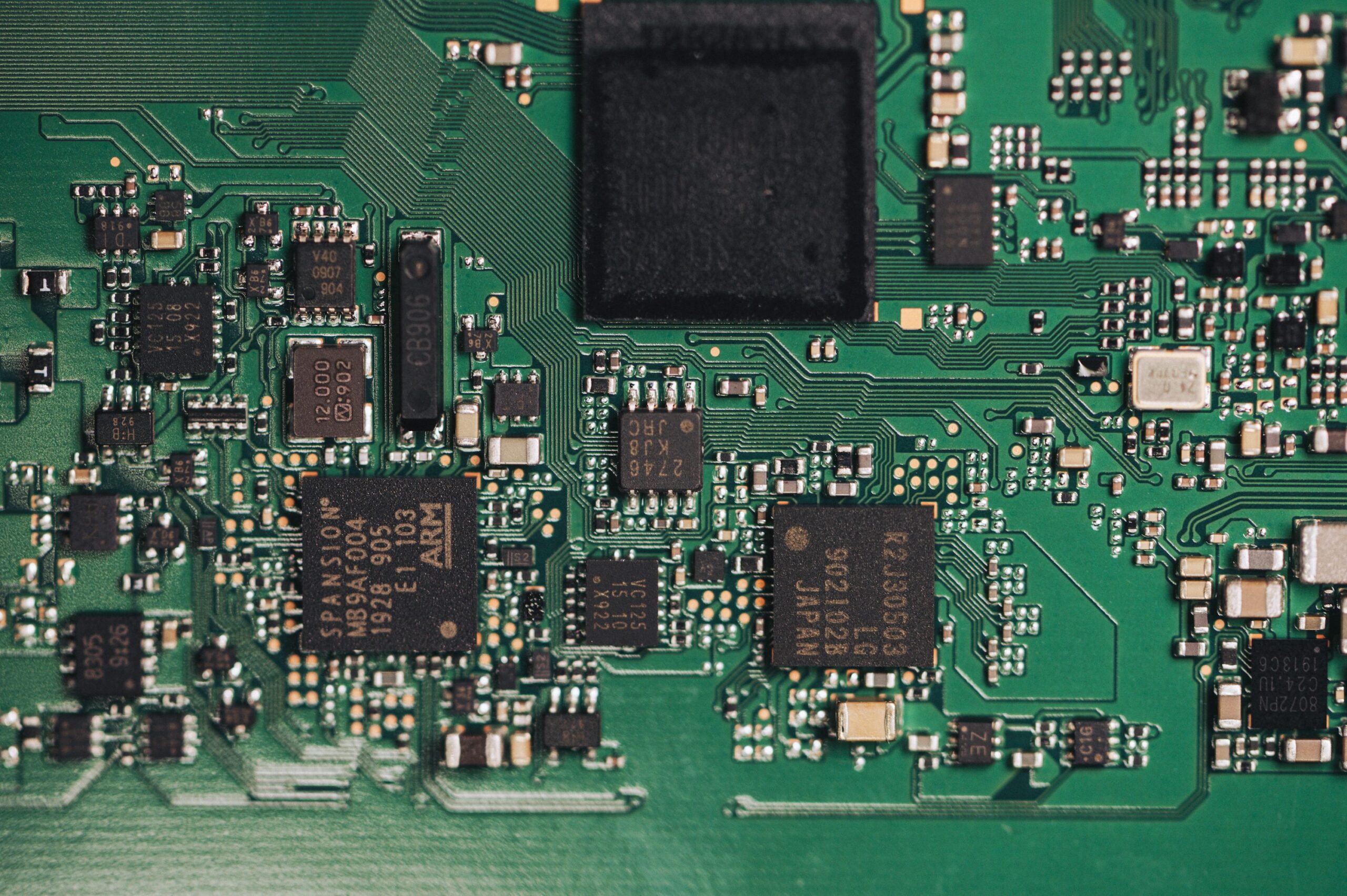
The board photograph accompanying the published missing-fiducial case. The failure account comes from the source report; the photograph alone does not establish its cause.
What to investigate: Check which features the assembly program uses as references, whether they are distinct and visible, and whether their expected coordinates match the current board revision. Camera detection alone does not establish that a substitute feature is a suitable reference.
Prevention: Agree on dedicated fiducials and their locations before fabrication. If boards have already been made without them, ask the assembler to assess an alternative alignment method and its verification requirements before starting the batch.
Evidence limit: The report does not document a verified post-correction result. The investigation and prevention steps above are review guidance, rather than a claim that a particular repair succeeded.
Some problems can be resolved during setup; others require revised manufacturing data or an agreed fixture. Raise missing or questionable references before fabrication, when changes to the copper artwork and panel remain easier to coordinate.
Before You Send Your Assembly Files
Use the final exported data for this check. A correct-looking footprint in the PCB editor is only part of the handoff.
- Reference strategy: identify which marks belong to the panel, each board and any local region.
- Assembly sides: confirm that every operation has the references it needs on the visible surface.
- Geometry: verify the copper target, mask opening, surrounding copper and paste exclusions.
- Access: check targets against the proposed rails, clamps, slots and separation features.
- Data consistency: align file revisions, board origin, units, side labels and reference locations.
- Responsibility: agree who creates or changes the panel, and who approves the resulting manufacturing data.
If the assembler will add tooling rails or fiducials, obtain confirmation before the boards enter fabrication. Sending revised instructions after production has started does not automatically update the physical boards.
For PCB assembly support, share the fabrication and assembly files together with any proposed panel layout. Highlight space restrictions, double-sided operations and uncertainty about local references so the alignment approach can be discussed before production.
FAQ
Should Fiducial Marks Be Connected to Ground?
A dedicated fiducial has an optical task and normally does not need an electrical net connection. Keep its intended shape and surrounding clearance intact. If a particular design or assembler calls for another arrangement, review it explicitly rather than connecting the target to a nearby ground pour by default.
Do Fiducials Belong in the BOM or Pick-and-Place File?
A fiducial is a fabricated board feature, not a component to purchase and place. It normally should not create a purchasable BOM line.
Whether its coordinates belong in the position data depends on the assembler’s import workflow. Confirm whether to supply identified fiducial coordinates, separate reference information or another agreed format. In KiCad, exclusion from the BOM and exclusion from position files are separate footprint attributes; the placement-file documentation explains how position-file exclusion works. Check the exported result rather than assuming one setting handles both outputs.
Does a CAD Library Fiducial Automatically Meet My Assembler’s Requirements?
A library footprint is a starting point. Check its target diameter, mask opening, paste settings and surrounding copper against the agreed requirements. Then verify its position on the actual board or panel. A correctly configured target can still fail the layout check if a clamp or adjacent feature obscures it.
Tags