PCB BOM Guide: Fields, Examples and Assembly Checks
A PCB BOM, or bill of materials, identifies the components needed to assemble a circuit board. It connects each selected part to its reference designators, quantity and assembly status, giving engineering, purchasing and production a shared record of what belongs on the board.
A useful BOM answers three practical questions: Which exact part? Where is it used? How many are fitted? Before sending yours for an assembly quote, check how those answers survive grouping, variant selection and spreadsheet export.
What Is a PCB BOM?
A PCB assembly BOM is usually a spreadsheet or CSV file. Each row describes a component or a group of identical components, with references such as R1, C4 or U2 linking that row to the design.
The BOM works alongside other manufacturing data. Gerber and drill files describe the bare board; a placement file supplies component positions, rotations and board sides. The BOM supplies the material identity and usage. A reference designator identifies a component instance—it is not an X/Y coordinate.
The same PCB can support different assembled products. One variant might fit an optional connector while another leaves it empty. The BOM must therefore identify the intended assembly revision and variant, rather than leave the factory to infer them from the PCB artwork.
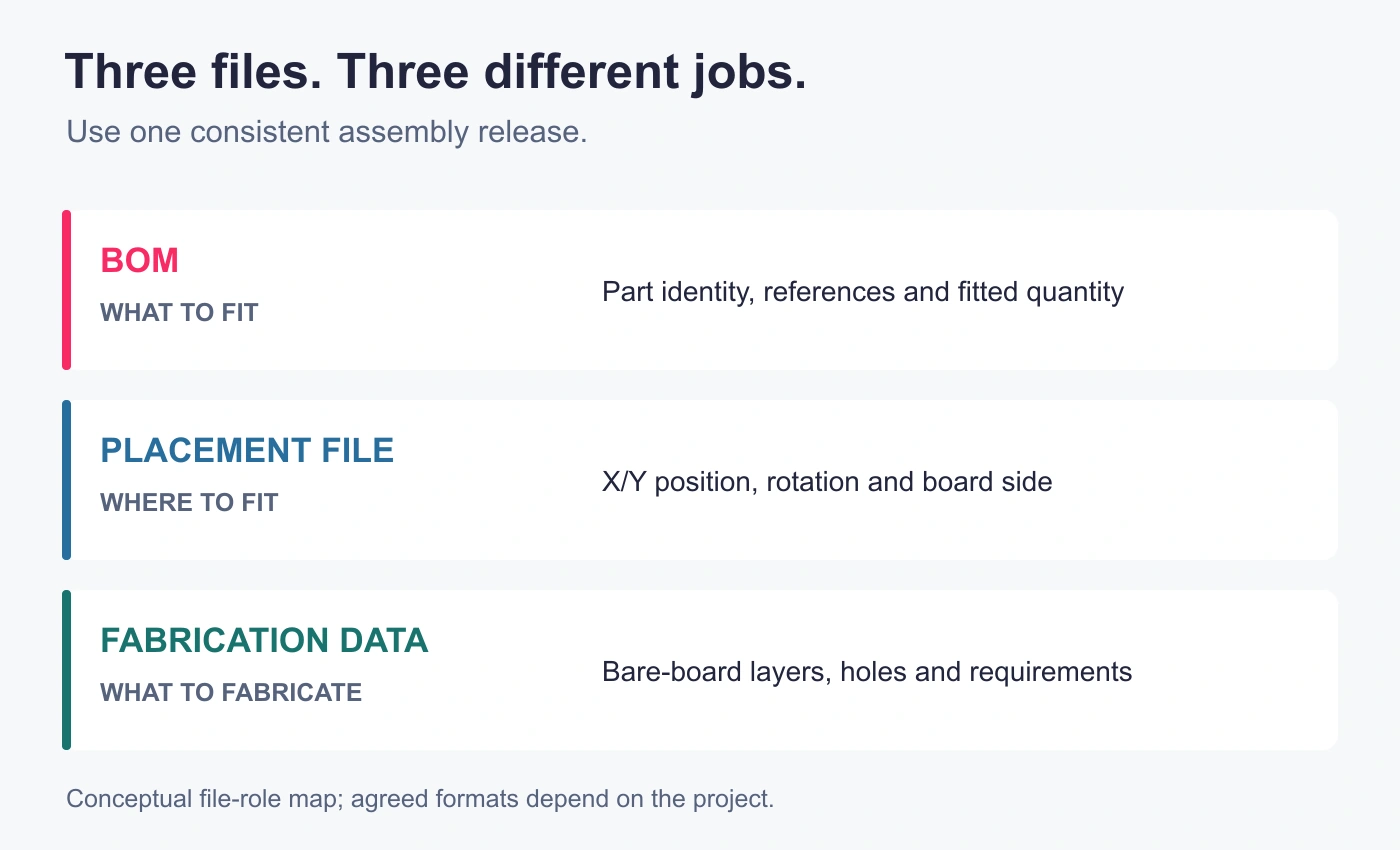
Each file has a different job. Release the BOM, placement data and fabrication information as a consistent set.
What Should a PCB Assembly BOM Include?
The column names can differ between design systems and manufacturers. What matters is whether the information identifies the approved parts and explains their use without conflicting instructions.
| Field | What it communicates | What to check |
|---|---|---|
| Reference designators | The component instances covered by a row | References match the intended assembly variant |
| Quantity per board | How many of that part are fitted to one board | Quantity agrees with the fitted references |
| Manufacturer and full MPN | The selected manufacturer’s exact part identity | Ordering suffixes are complete and unchanged |
| Value and description | Function, nominal value and important specifications | Description agrees with the selected MPN |
| Package and footprint | The component package and its PCB land pattern | Physical dimensions and pin arrangement are compatible |
| Fit status | Whether the references are populated | DNP positions are explicit and consistently handled |
| Notes and approved alternatives | Special restrictions or permitted selections | Approval and applicable references are clear |
Identify the project, BOM revision, assembly variant and release status in the file header or an accompanying document. Keep this information with the file when it is forwarded. A dated filename alone does not establish which design changes it contains.
References and Quantities
References make a grouped row traceable. If a row lists R1, R4 and R8 as fitted, its per-board quantity should be three. A quantity of four requires an explanation or correction before that row becomes an assembly instruction.
State the quantity convention explicitly. Per-board fitted quantity, total batch demand and purchase quantity serve different purposes. Keeping them in separate columns—or leaving batch purchasing calculations to a separate planning sheet—avoids multiplying an already extended quantity a second time.
Part Identity and Specifications
Record the manufacturer and complete manufacturer part number, including the ordering suffix. A family name can cover several packages or device options. A distributor’s stock number can help purchasing find the item, but it should occupy a separate field rather than replace the manufacturer’s identity.
Descriptions provide a useful cross-check. For a capacitor, capacitance alone may leave voltage rating, tolerance and dielectric unspecified. For a resistor, resistance alone leaves other selection requirements unresolved. Which specifications matter depends on the circuit; the description should agree with the approved part rather than contradict it.
Package and footprint also have different meanings. The package describes the component body and terminals; the footprint describes the pads on the PCB. Matching names in two spreadsheet cells does not establish that the dimensions, pin numbering or orientation are correct. Check the selected part against the design data when approving the component.
Fit Status and Special Instructions
Mark intentionally unpopulated references as DNP—do not populate—using an agreed convention. Either retain those references with an explicit status or provide a controlled exclusion list. Leaving a row blank makes it difficult to distinguish an intentional omission from unfinished data.
Notes should explain exceptions that affect the build: a customer-supplied component, an approved alternative, a restricted substitution or a variant-specific instruction. Keep these separate from fit status. A customer-supplied part still needs to be fitted; a DNP part does not.
Prices, stock links and supplier lead times can support planning. They do not resolve an uncertain part selection, and changing availability information should not silently alter the approved assembly definition.
PCB BOM Example: Reading a Grouped Line
The following is a hypothetical BOM review copy, not a GreatPCB customer project or a production-ready purchasing list. It deliberately includes an unresolved resistor selection to show how an open item should be identified.
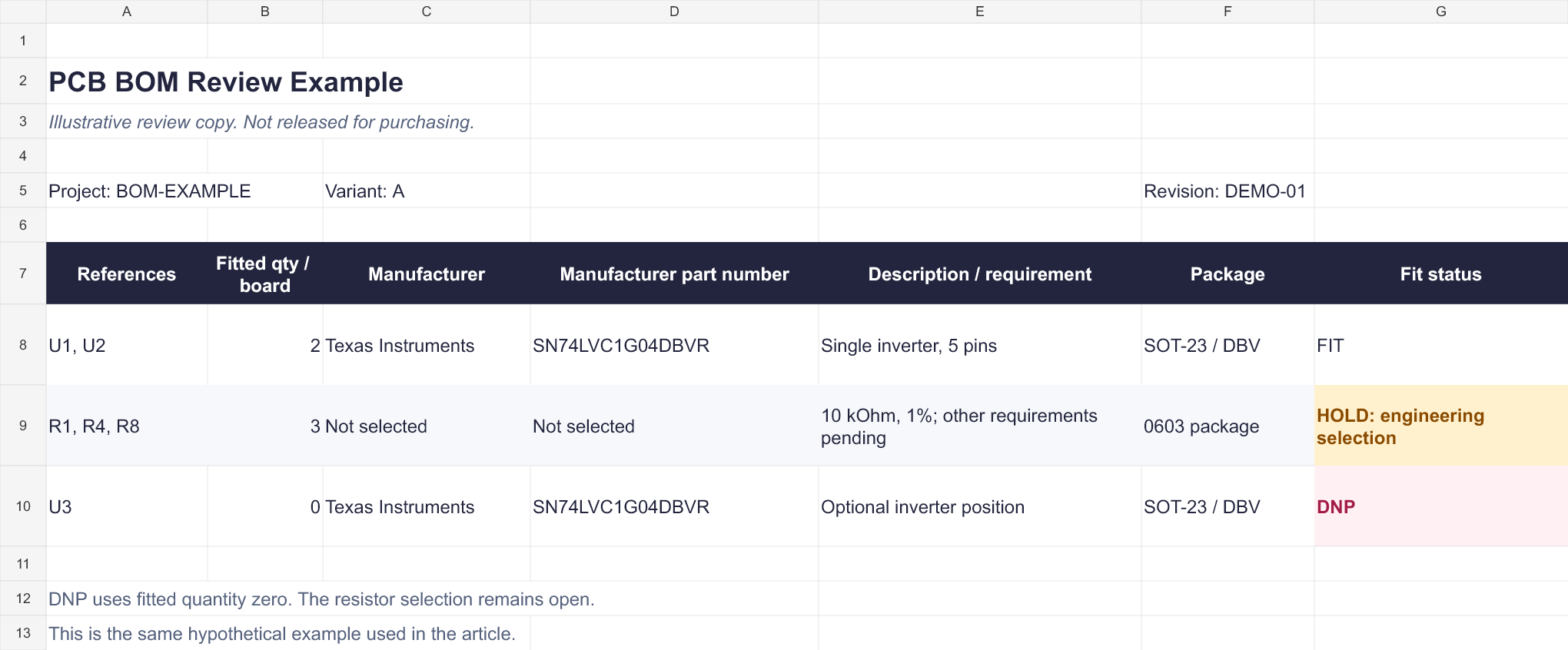
File view of the illustrative BOM review workbook. The resistor row is still on hold, and U3 is intentionally unpopulated. Click to enlarge.
| References | Fitted qty/board | Manufacturer / MPN | Description or requirement | Status |
|---|---|---|---|---|
| U1, U2 | 2 | Texas Instruments / SN74LVC1G04DBVR | Single inverter; SOT-23, DBV, 5 pins | Fit; selected part |
| R1, R4, R8 | 3 | Not selected | 10 kΩ, 1%, 0603; remaining requirements and part selection pending | Hold for engineering selection |
| U3 | 0 | Texas Instruments / SN74LVC1G04DBVR | Optional inverter position, unused in this variant | DNP |
TI identifies the example’s complete SN74LVC1G04DBVR ordering code as a five-pin SOT-23 device with the DBV package designation. Its inclusion here illustrates part identification, not suitability for a particular circuit.
Read the first row as one selected part used twice. U1 and U2 can share a row because they use the same approved manufacturer part number and fit status. Sharing a package or nominal value alone would not be sufficient grounds to combine other components.
The resistor row remains open. Its quantity and references are readable, but the entry does not yet authorize purchasing an arbitrary 10 kΩ resistor. Engineering must complete the applicable requirements and approve a part, or define an explicit specification-based sourcing policy.
U3 is an intentional empty position. This example uses fitted quantity zero for DNP rows while retaining the reference for assembly review. Other templates may count listed positions differently, so state the convention and ensure it agrees with the accompanying files.
For a batch of 60 boards, the first row requires:
2 fitted ICs per board × 60 boards = 120 ICs for assembly.
Any agreed setup allowance, spare quantity or purchasing pack requirement is additional planning information. It does not change the per-board quantity of two. Confirm those additions for the actual order instead of applying an unexplained percentage to every BOM line.
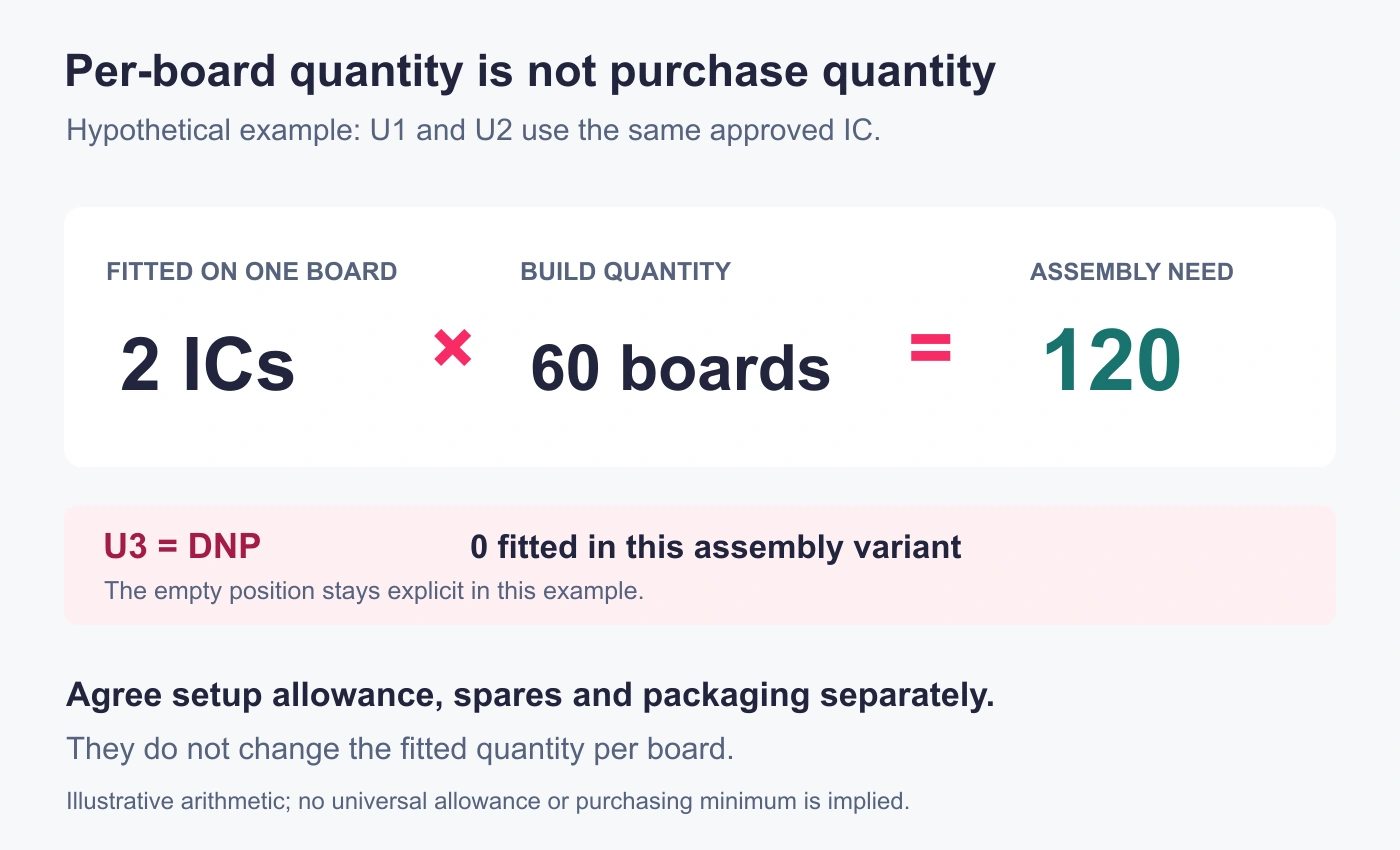
Hypothetical example: assembly demand is calculated from fitted quantity per board. Additional purchasing quantities are agreed separately.
How to Create and Export a PCB BOM
Start with the controlled design data, then inspect the file the recipient will actually receive.
- Select the revision and assembly variant. Confirm which references are fitted, excluded or changed for that build. Synchronize relevant schematic and PCB changes before producing the release files.
- Check component attributes. Populate manufacturer, full MPN, description and footprint fields in the controlled source. Check field mappings: a column headed “MPN” is useful only if the exporter fills it from the correct attribute.
- Configure grouping and exclusions. Group only components that share the approved identity and assembly instructions. Check that the chosen grouping fields cannot merge different MPNs. Review how DNP references and non-component items are handled.
- Export and reopen the delivery file. Check the headers, references, quantities and identifiers in the exported CSV or spreadsheet. Look for missing rows, active filters, clipped suffixes and changes introduced by spreadsheet import.
Software settings affect the result. In KiCad 9’s BOM documentation, export behavior depends on the selected fields, grouping and filtering settings. DNP and “Exclude from BOM” are separate attributes. A visually tidy table can therefore omit information that still needs to reach assembly.
Treat part numbers and internal identifiers as text when importing them into a spreadsheet. Excel can remove leading zeros, convert numeric-looking strings to scientific notation or lose precision in long numbers. Formatting a damaged value afterward does not restore its original characters. Microsoft’s guidance on preserving identifiers explains these conversion risks. CSV itself does not preserve spreadsheet column types.
If you correct an exported file, reconcile the correction with the controlled source or approved change record. Otherwise, the next export can quietly restore the old mistake.
Review the BOM Before Component Sourcing
Once the export is readable, review whether its contents can support the intended purchasing and assembly decisions.
Resolve Part and Package Conflicts
Compare the manufacturer, MPN, description and footprint on each selected line. A correct-looking part number beside a contradictory package description is an unresolved instruction. Ask the design owner to identify the intended part and update the affected records; purchasing should not have to choose which column to trust.
Give additional attention to parts whose variants are easy to confuse, such as connectors with different mounting arrangements or IC families offered in several packages. Mechanical fit, electrical suitability and any firmware dependency require their own checks. A package match establishes only part of the decision.
A comparison against the previous BOM can highlight changed MPNs, references or quantities. It helps locate changes; it does not approve them. Check that each relevant change also appears in the other released assembly files.
Confirm DNPs, Alternatives and Supply Responsibility
Keep three decisions distinct:
- DNP: the position is intentionally left unpopulated for this build.
- Approved alternative: a different, explicitly permitted part may be used under the stated conditions.
- Customer-supplied: the customer supplies the material; its required identity and fit status still apply.
A proposed substitute should remain pending until the responsible design authority approves it. Listing a possible alternative in an email or finding an available part with the same nominal value does not establish interchangeability.
For mixed supply arrangements, assign responsibility to each affected line and reconcile supplied quantities with the planned build. This lets component sourcing discussions focus on specific open selections, availability constraints and approvals rather than an ambiguous “parts included” note.
A preliminary BOM can support a quote when its assumptions are clearly stated. Before procurement or production, resolve the open items relevant to that stage and identify the approved release. An estimate based on a pending selection is not approval to purchase whichever part becomes available.

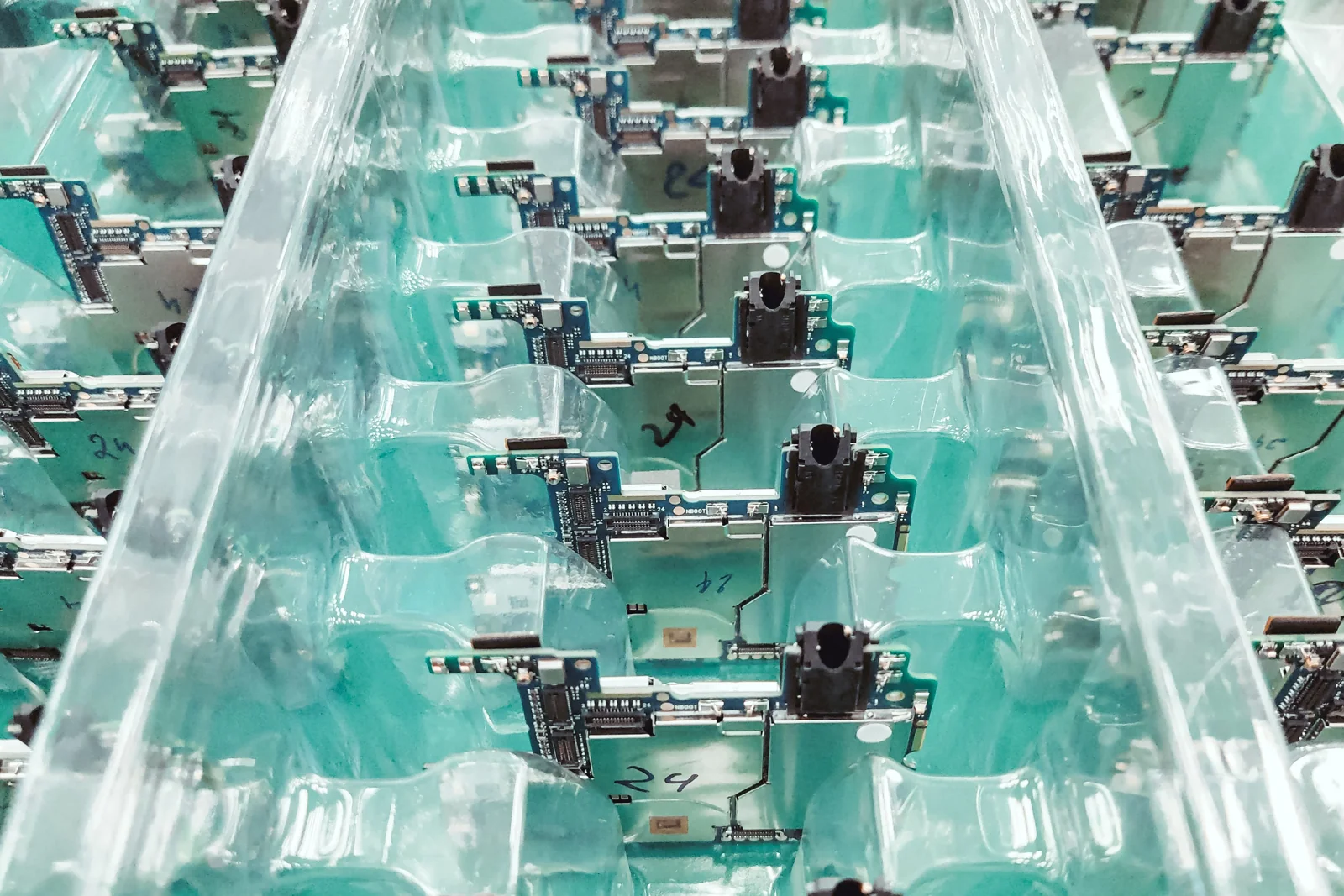
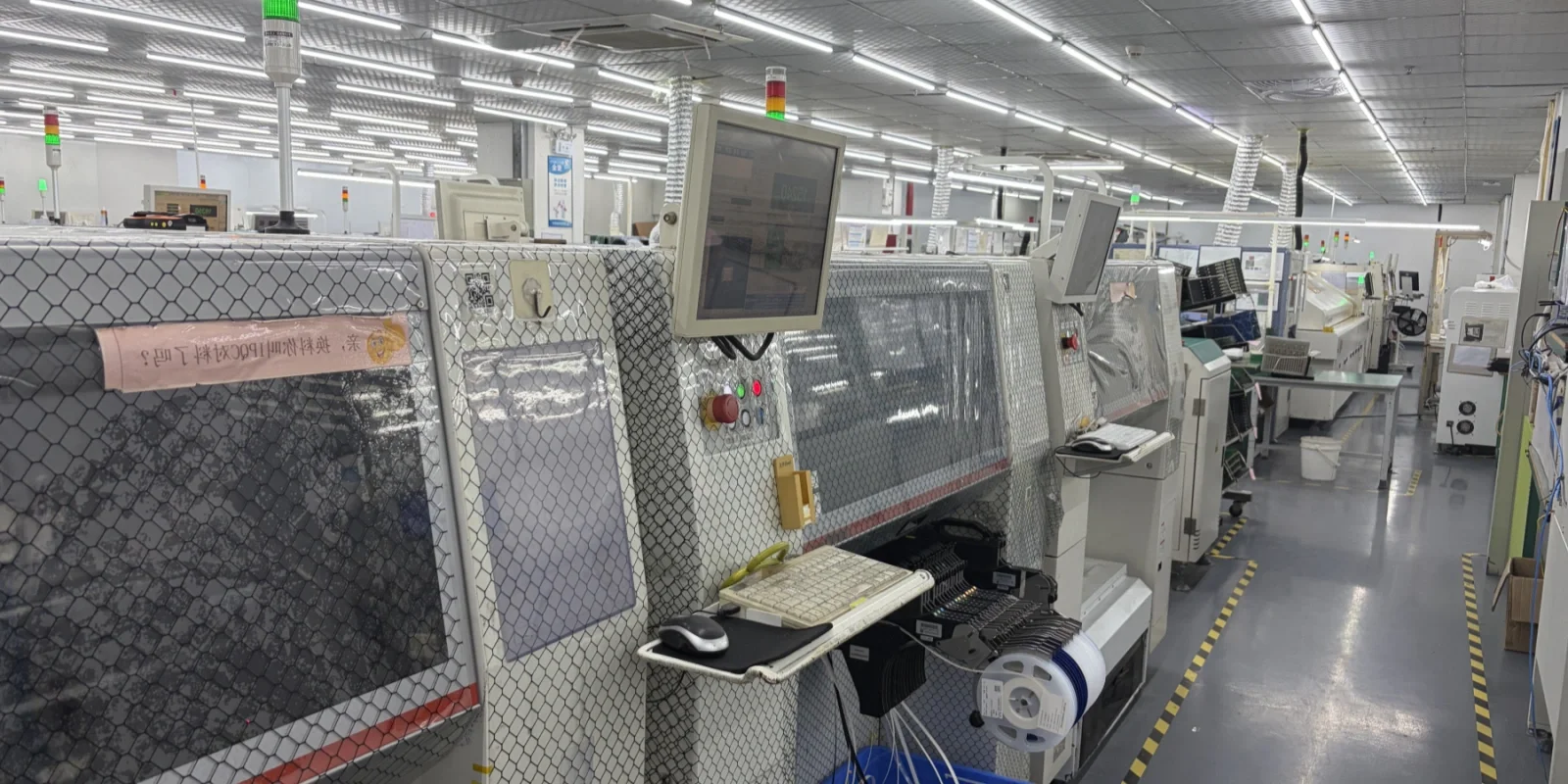
Assembly-line photograph from the existing GreatPCB media library. The BOM and placement data provide different inputs to production preparation.
What to Send Alongside Your BOM
The assembly package should provide the design and instructions needed for the work being ordered. For PCB assembly, agree on the applicable files and keep them in one consistent release set.
| Supporting information | Purpose |
|---|---|
| Gerber, drill and fabrication requirements | Define the bare board when fabrication is included |
| Placement/CPL file | Provide component references, X/Y locations, rotations and sides for placement setup |
| Assembly drawings and notes | Explain orientation, polarity, mechanical details, exceptions and variant requirements |
| Build quantity, revision and supply plan | Identify the order scope and who provides each material |
| Firmware and programming instructions, when required | Define the approved image, configuration and verification steps |
| Test requirements, when required | Define the checks, operating conditions and acceptance criteria |
Compare the contents as well as the filenames. A new BOM paired with an old placement file can still describe two different assemblies. Make the release revision clear, account for intentionally unpopulated references and withdraw superseded files when issuing a change.
The manufacturer develops its internal work instructions and equipment procedures. The customer’s contribution is a clear product definition and the project-specific requirements needed to build and verify it.
Related Posts
PCBA Prototype
October 23, 2026
PCBA Prototype
October 19, 2026